
You can make your smartphone battery last longer by reducing unnecessary power use, charging more thoughtfully, and choosing a device designed for strong daily endurance. Small changes often have the biggest effect. Lowering screen brightness, shortening screen timeout, limiting background app activity, and cutting back on constant notifications can noticeably reduce battery drain. Charging habits also matter. Topping up your phone around your routine instead of waiting for a full drain helps support steady daily performance. Built-in battery optimization and power-saving modes add another layer of control when you need extra hours. If you are shopping for a new phone, battery size and overall efficiency should be evaluated together. A balanced combination of hardware, software, and user habits gives you longer use from every charge.
Adjust Everyday Settings to Reduce Battery Drain
Lower Screen Brightness and Manage Display Settings
Your display is one of the biggest battery users, so adjusting it is the fastest way to extend daily battery life. Lower screen brightness to a comfortable level instead of running it higher than necessary, and enable adaptive brightness if it works well in your usual environments. Shorten screen timeout so the display turns off quickly when you are not using the phone. Dark mode can also help reduce power consumption, especially during frequent use throughout the day. If your phone offers higher refresh rate options, switch to standard mode when long battery life matters more than extra visual smoothness. These simple display changes reduce constant power draw without affecting the core functions you rely on.
Control Apps, Notifications, and Background Activity
Apps that refresh in the background, track location constantly, or send frequent notifications can drain your battery faster than expected. Review which apps truly need background activity and restrict the rest through your phone settings. Disable unnecessary push notifications, especially for shopping, games, or social apps you do not need checked every minute. Close the loop on location use by allowing access only while using the app, rather than all the time. It also helps to remove unused apps completely, since some continue syncing data after installation. Check battery usage tools regularly to spot power-hungry apps. Managing these habits reduces hidden battery drain and helps your phone last longer between charges each day.
Build Smarter Smartphone Charging Habits
Charge Your Phone Around Your Daily Routine
Better charging habits help your smartphone stay ready throughout the day while supporting long-term battery health. Instead of always running your battery very low, plug in when it fits naturally into your routine, such as during a commute, work session, or evening wind-down. Short, convenient top-ups can be more practical than waiting for a full drain and recharge cycle. Use reliable chargers and cables that match your phone’s requirements so charging stays stable and efficient. Avoid exposing your phone to excessive heat while charging, since heat can shorten battery lifespan over time. Keeping charging simple, consistent, and tied to your day makes it easier to maintain strong battery performance without constantly worrying about the next charge.
Use Battery and Power-Saving Features Effectively
Most smartphones include battery management tools that can add valuable hours when used correctly. Turn on battery saver or power-saving mode before your battery gets critically low, especially on long travel days or busy workdays. These settings usually reduce background syncing, lower performance demands, and limit visual effects to preserve power. Many phones also offer app-by-app battery controls, sleep modes for rarely used apps, and charging optimization features that manage power more intelligently. Use these options proactively rather than as a last resort. If your phone provides battery usage insights, review them often and adjust settings based on real behavior. Smart use of built-in tools gives you better control and helps your battery last longer every single day.
Choose a Smartphone Built for Longer Daily Use
Look at Battery Capacity and Power Efficiency Together
A larger battery helps, but capacity alone does not determine how long a phone lasts. To get better daily endurance, look at battery size together with processor efficiency, display technology, software optimization, and charging features. A well-balanced phone uses power more carefully during browsing, streaming, messaging, navigation, and standby time. Efficient hardware can stretch each percentage point further, while smart software limits waste in the background. Fast charging also matters because it reduces downtime and makes quick top-ups more useful during a busy day. When evaluating a phone for battery life, focus on the full experience rather than one headline number. That approach gives you a more accurate picture of real-world daily battery performance.
Consider the HONOR 400 Smart for Everyday Battery Use
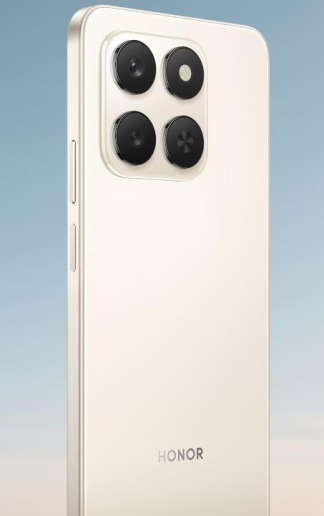
If you want a phone designed for dependable everyday battery use, the HONOR 400 Smart phone is worth considering. It combines a 6500mAh battery with efficient power management to support long daily use across common tasks like messaging, video playback, web browsing, and navigation. Its hardware and software balance is important because strong endurance comes from more than battery size alone. The device also supports fast charging, which makes routine top-ups easier when your schedule is busy. For people who value practical battery life over constant charging anxiety, this kind of setup fits well. When a smartphone pairs solid battery capacity with optimized performance, it becomes easier to stay connected, productive, and entertained throughout the day.

Conclusion
Making your smartphone battery last longer starts with a few practical decisions you can apply right away. Lower display brightness, shorten screen timeout, reduce unnecessary notifications, and limit background app activity to cut daily power drain. Build better charging habits by topping up around your routine, avoiding excessive heat, and using built-in battery-saving tools before your battery becomes critically low. If you are choosing a new device, look for a phone that combines strong battery capacity with efficient hardware and thoughtful software optimization. That balance delivers better real-world endurance than battery size alone. With the right settings, smarter charging, and a device built for efficient daily use, you can spend less time searching for a charger and more time using your phone confidently.